


1
/
of
7
No reviews
ZS-SG4T1HD2 4-in-1 Type-C to Dual HDMI + USB 3.0 Port + Type-C PD Charging Port Multi-functional HD Dock Adapter(Grey)
ZS-SG4T1HD2 4-in-1 Type-C to Dual HDMI + USB 3.0 Port + Type-C PD Charging Port Multi-functional HD Dock Adapter(Grey)
SKU: SYA001157001A
Regular price
$23.00
Regular price
Sale price
$23.00
Duties & Import Tax Information
Duties are only included if shown at checkout. Otherwise, your local government may apply customs fees, which your courier will collect directly from you before delivery.
In Stock
CHN
This item is shipped from China.
Processed in 0–3 days
Quantity
Couldn't load pickup availability
Shipping info
To find all available shipping methods and exact delivery times, add the product to your cart and check using our shipping calculator.
30-day returns
Fast refunds: Once we receive and check your item, we aim to process your refund within 48 hours.
Return postage: Just changed your mind? You'll need to cover the return postage. If the item arrived faulty, we'll cover the cost to get it back to us.
Your details are safe
We treat your data the way we'd want ours treated. Your payment details are locked down with bank-level encryption. We never actually see your credit card numbers, and we will absolutely never sell your personal information.
Product Details
Type:
Type-C Cable & Adapters
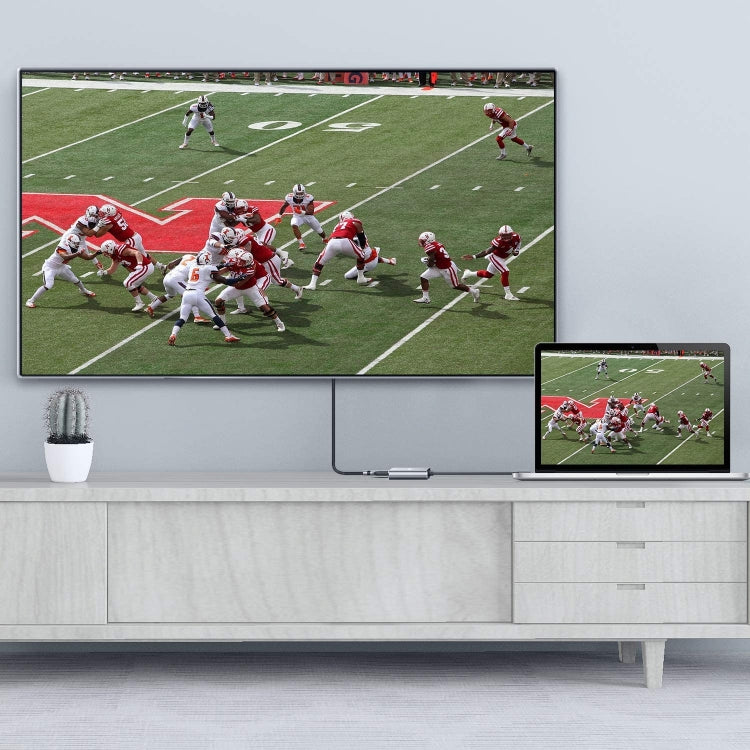
1. USB C to Dual HDMI Adapter connects the devices with a USB-C interface port to two HDMI ports, a USB 3.0 port, a PD port. Four ports can work at the same time.Designed for devices equipped with Type-C port or Thunderbolt 3 port that support video and audio output Mode.
2. High Speed USB 3.0 Transfer up to 5 Gbps, work for USB flash disk, mouse, keyboard and other USB A 2.0/USB A 3.0 devices. Easy to transfer a HD movies in short time. Meanwhile Type-C charging quickly output up to 60W, avoid running out of power during use it.
3. This mulitport adapter dont require any software,drivers, or complicated installation process. Portable and premium aluminium design provides better heat dissipation. Special internal PCB anti-jamming design, no need to worry interrupt WiFi signal any more.
4. Compatible MAC OS, Windows, Android, Linux system USB C Device. Support 2015-2019MacBook/MacBook Pro, iPad Pro 2018, Macbook air 2018, Surface Book,Google Chromebook Pixel,Dell XPS 12/13/15, HP Spectre X2/X360, Acer Spin7, Samsung S8/S9, and More USB C Device.
5. The Extend Mode support Windows System streaming different images in three displays. Due to the Limit of Mac OS, the image on MAC device for both screens will display the same.
6. High Speed USB 3.0 Transfer up to 5 Gbps, work for USB flash disk, mouse, keyboard and other USB A 2.0/USB A 3.0 devices. Easy to transfer a HD movies in short time. Meanwhile Type-C PD port charge quickly output up to 60W, avoid running out of power during use it.
7. 4 in 1 USB C to Dual HDMI Adapter connects the devices with a USB-C interface port to two HDMI ports, a USB 3.0 port, a PD port. Four ports can work at the same time.Designed for devices equipped with Type-C port or Thunderbolt 3 port that support video and audio output Mode.
Mac OS support.
1: Mirror mode .
2: Extend mode(As MAC OS itself limited, in extend mode the image on the two external screens will be the same) .
Android support.
1: Mirror mode
Windows support.
1: Mirror Mode
2: Extend Mode (the image on the two external screens can be same or different).
Switch Mac device to Extend Mode:
"Setting" → "Display" → click the "mirror display" box to switch to Extend mode → then you can drag a window of website/movie to the rightest side of your desktop screen until it disappear on your desktop screen and show up on the external monitor screen.
connect Extend Mode for Windows:
Right-click desktop→ select display Settings → pop-up Settings screen select display→ select multi-screen display→ expand the desktop (If the display 3 is not display, please to manually select the display→click apply confirm can set OK).
display does not display;
Right click desktop > Graphics Settings > Select One or More Active Displays.
2. High Speed USB 3.0 Transfer up to 5 Gbps, work for USB flash disk, mouse, keyboard and other USB A 2.0/USB A 3.0 devices. Easy to transfer a HD movies in short time. Meanwhile Type-C charging quickly output up to 60W, avoid running out of power during use it.
3. This mulitport adapter dont require any software,drivers, or complicated installation process. Portable and premium aluminium design provides better heat dissipation. Special internal PCB anti-jamming design, no need to worry interrupt WiFi signal any more.
4. Compatible MAC OS, Windows, Android, Linux system USB C Device. Support 2015-2019MacBook/MacBook Pro, iPad Pro 2018, Macbook air 2018, Surface Book,Google Chromebook Pixel,Dell XPS 12/13/15, HP Spectre X2/X360, Acer Spin7, Samsung S8/S9, and More USB C Device.
5. The Extend Mode support Windows System streaming different images in three displays. Due to the Limit of Mac OS, the image on MAC device for both screens will display the same.
6. High Speed USB 3.0 Transfer up to 5 Gbps, work for USB flash disk, mouse, keyboard and other USB A 2.0/USB A 3.0 devices. Easy to transfer a HD movies in short time. Meanwhile Type-C PD port charge quickly output up to 60W, avoid running out of power during use it.
7. 4 in 1 USB C to Dual HDMI Adapter connects the devices with a USB-C interface port to two HDMI ports, a USB 3.0 port, a PD port. Four ports can work at the same time.Designed for devices equipped with Type-C port or Thunderbolt 3 port that support video and audio output Mode.
Mac OS support.
1: Mirror mode .
2: Extend mode(As MAC OS itself limited, in extend mode the image on the two external screens will be the same) .
Android support.
1: Mirror mode
Windows support.
1: Mirror Mode
2: Extend Mode (the image on the two external screens can be same or different).
Switch Mac device to Extend Mode:
"Setting" → "Display" → click the "mirror display" box to switch to Extend mode → then you can drag a window of website/movie to the rightest side of your desktop screen until it disappear on your desktop screen and show up on the external monitor screen.
connect Extend Mode for Windows:
Right-click desktop→ select display Settings → pop-up Settings screen select display→ select multi-screen display→ expand the desktop (If the display 3 is not display, please to manually select the display→click apply confirm can set OK).
display does not display;
Right click desktop > Graphics Settings > Select One or More Active Displays.
Verified Compatible
Guaranteed fit for device in the title. Wrong part? Full refund including shipping.
Share


$23.00