


Nachrichten
Phone Camera Lens Repair Guide for DIY and Professionals
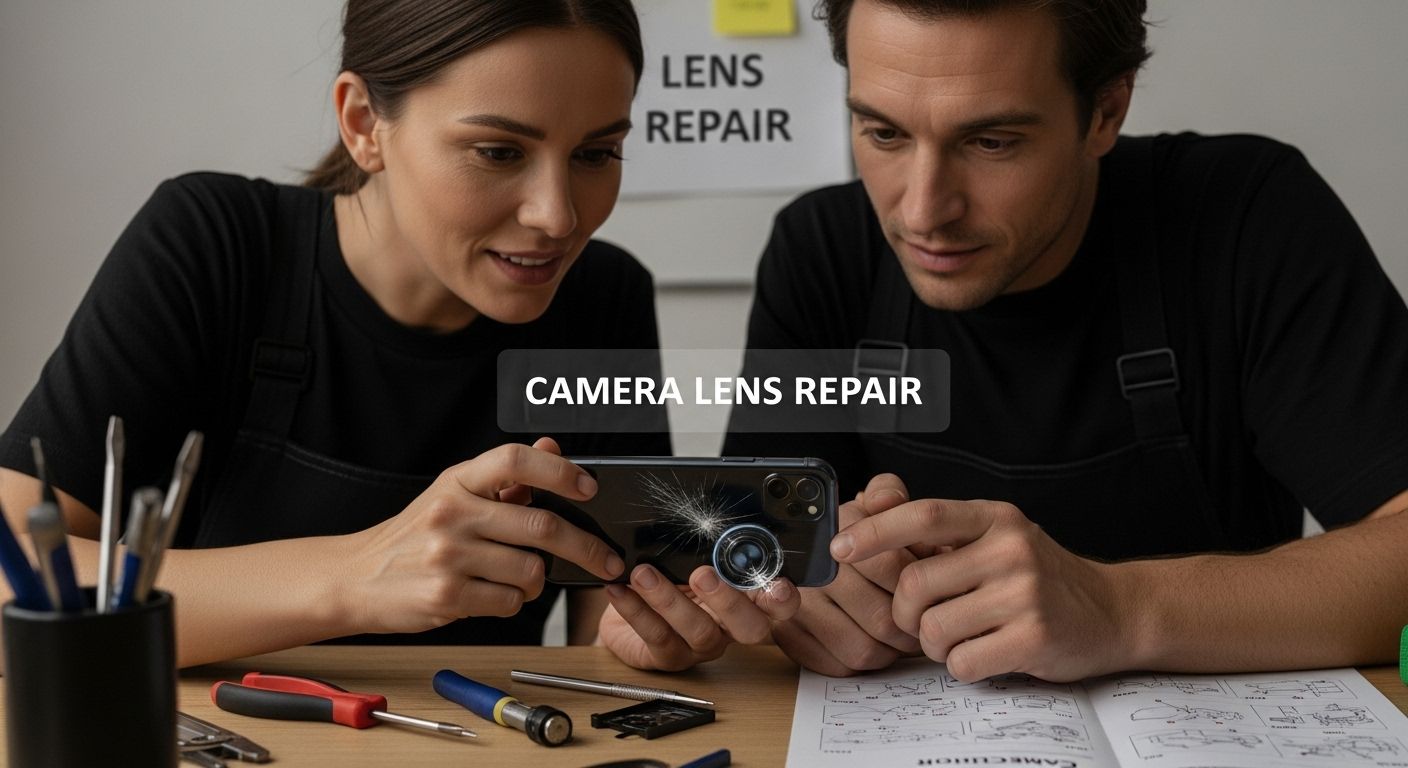
A smudge, cracked camera cover or internal camera fault can all affect your photos, but they need different solutions. Start with checks that do not require opening the phone, then identify the component involved before buying a replacement. This guide explains cleaning, diagnosis and part selection for DIY readers and repair professionals.
Table of Contents
- Common Causes Of Phone Camera Lens Damage
- Step-By-Step Guide To Repairing Camera Lenses
- Choosing Quality Replacement Parts And Tools
- Trade Tips For Repair Businesses And DIY Enthusiasts
Quick Summary
| Takeaway | Explanation |
|---|---|
| Protect lenses from physical impact | Use cases and careful handling to prevent scratches and cracks. |
| Use proper cleaning techniques | Clean lenses with appropriate materials to avoid damaging coatings. |
| Conduct thorough diagnostics before repairs | Examine lenses for damage and document findings to guide repair decisions. |
| Select high-quality replacement parts | Ensure compatibility and durability of parts for effective repairs. |
| Invest in technical skill development | Continuous learning is essential for successful repairs and business growth. |
Common Causes of Phone Camera Lens Damage
Phone camera lenses are sophisticated optical components that require careful handling and protection. Understanding the primary factors that contribute to lens damage helps smartphone users prevent costly repairs and maintain image quality. While modern smartphone cameras are engineered with durability in mind, they remain vulnerable to several environmental and user-related risks.
Physical Impact and Mechanical Stress
Physical trauma represents the most immediate threat to smartphone camera lenses. Accidental drops, impacts against hard surfaces, and excessive pressure can cause microscopic cracks or structural damage to the lens cover. Research from smartphone durability studies reveals that even minor scratches can significantly degrade image quality by creating optical distortions and reducing light transmission.
Unintended mechanical stress often occurs through everyday activities. Placing a phone in tight pockets with keys or coins, storing devices in bags with hard objects, or applying direct pressure can compromise the delicate lens protective glass. Professional repair technicians frequently encounter lens damage resulting from seemingly innocuous handling practices.
Environmental Degradation Factors
Moisture or contamination inside a camera needs assessment; wiping the outside cannot remove it. Keep the phone within its manufacturer’s operating guidance, and seek service if moisture is visible inside the camera or the image remains affected.
Chemical and Cleaning Related Damage
Improper cleaning techniques represent another substantial source of camera lens damage. Using abrasive materials, harsh chemical cleaners, or excessive pressure during cleaning can scratch or strip protective lens coatings. Smartphone users often unknowingly cause permanent damage by using inappropriate cleaning tools like paper towels, rough cloths, or aggressive cleaning solutions.
For an intact outer camera cover, start with a clean microfibre cloth. Follow the phone manufacturer’s cleaning instructions before using any liquid. Apple’s cleaning guidance warns against abrasives and moisture in openings. Do not polish scratches or spray cleaner into the camera opening.
By understanding these common causes of phone camera lens damage, users can implement proactive protection strategies. Investing in protective cases, using screen and lens protectors, and adopting careful handling practices can mitigate the risk of costly lens repairs or replacements.
To help you identify and avoid the most common causes of phone camera lens damage, the table below summarises the key factors and their typical effects on device performance.
| Cause of Damage | Typical Examples/Factors | Main Effects on Lens/Image Quality |
|---|---|---|
| Physical Impact & Mechanical Stress | Drops, impacts, pressure, tight pockets | Scratches, cracks, optical distortions |
| Environmental Degradation | Moisture or contamination inside the camera | Internal fogging or contamination requiring assessment |
| Chemical/Cleaning Related Damage | Abrasive materials, harsh chemicals, finger oils | Scratches, coating removal, smeared lens |
Step-by-Step Guide to Repairing Camera Lenses
Work through external checks first, record the symptoms, and then decide whether a repair assessment is needed. The steps below help you choose the next action rather than provide a universal phone-opening procedure.
Initial Diagnostic Assessment
Inspect the outer camera cover under good lighting for dirt, scratches or cracks. A visual check alone cannot establish whether the internal camera module is damaged. Avoid pressing on broken glass or trying to remove it during inspection.
Document the damage through clear photographs from multiple angles. This documentation serves two purposes: tracking the repair process and providing a reference point for potential professional consultation.
For iPhone, Apple recommends removing accessories that obstruct the camera or place a magnet nearby, gently cleaning the external lenses with a microfibre cloth, restarting, updating iOS and testing the front and rear cameras. Persistent problems may need service. Record which camera and conditions produce the problem; these checks do not by themselves identify a failed part.
Preparation and Tool Selection
A clean cloth and good lighting are enough for basic external checks. For internal work, the exact model’s repair manual determines the tools and safety precautions. Depending on the repair, these may include:
- Precision screwdriver set: For removing tiny smartphone screws
- Microfibre cleaning cloths: Prevents additional scratching during repair
- Manufacturer-approved cleaning materials: Use only as directed for the exact surface and model
- Anti-static work surface: Protects electronic components
- Magnifying glass or microscope: For detailed inspection
Professional repair technicians emphasize the importance of working in a clean, well-lit environment. Static electricity can damage sensitive electronic components, so using an anti-static mat and wearing an anti-static wrist strap is recommended. Keep tools clean and follow the model-specific repair manual’s preparation and battery-safety instructions.
The table below gives examples of tools that a model-specific repair procedure may require.
| Tool Name | Purpose/Use |
|---|---|
| Precision screwdriver set | Remove tiny smartphone screws |
| Microfibre cleaning cloths | Prevent scratching during lens cleaning |
| Manufacturer-approved cleaning materials | Follow the exact model’s cleaning instructions |
| Anti-static work surface/mat | Protect electronic components from static |
| Magnifying glass or microscope | Detailed inspection of lens imperfections |
| Anti-static wrist strap | Prevent static discharge damage |
| Precision optical tweezers | Handle delicate lens components |
Repair Techniques and Precision Intervention
First distinguish the outer protective camera cover from the internal camera module. Replacing cracked cover glass and replacing the camera assembly are different jobs. A cracked cover does not by itself prove that the module needs replacing, and a new cover will not necessarily resolve an internal fault.
Clean only an intact outer cover during basic troubleshooting. Do not polish scratches or use abrasive compounds. If glass is cracked, contamination is inside the camera, or focus problems persist, arrange a diagnosis before choosing parts.
Internal work requires the exact model’s repair manual, specified tools and battery precautions. Apple warns that incorrectly replaced screws or cowlings can leave loose parts that damage the battery, cause overheating or lead to injury. Use a trained repairer if you cannot follow the complete model-specific procedure.
Choosing Quality Replacement Parts and Tools
Selecting appropriate replacement parts and tools is critical for successful phone camera lens repair. Research on precision robotic testing of smartphone camera modules highlights the intricate nature of smartphone camera components and the importance of using high-quality replacement parts.
Understanding Replacement Part Quality Criteria
Quality replacement parts require careful evaluation across multiple dimensions. Compatibility, material integrity, and manufacturing precision are paramount considerations for smartphone camera lens repairs. Professional technicians recommend examining several key factors when selecting replacement components:
- Optical Glass Clarity: Check for clarity and surface defects
- Coating Durability: Protects against environmental degradation
- Precise Manufacturing Tolerances: Check the exact model and dimensions
- Material Composition: Ask for the stated material and specification
Match the exact phone model and physical component. A cover-glass listing is not a camera-module listing. Ask the supplier to state the part’s origin, compatibility and included components rather than treating a quality label as proof.
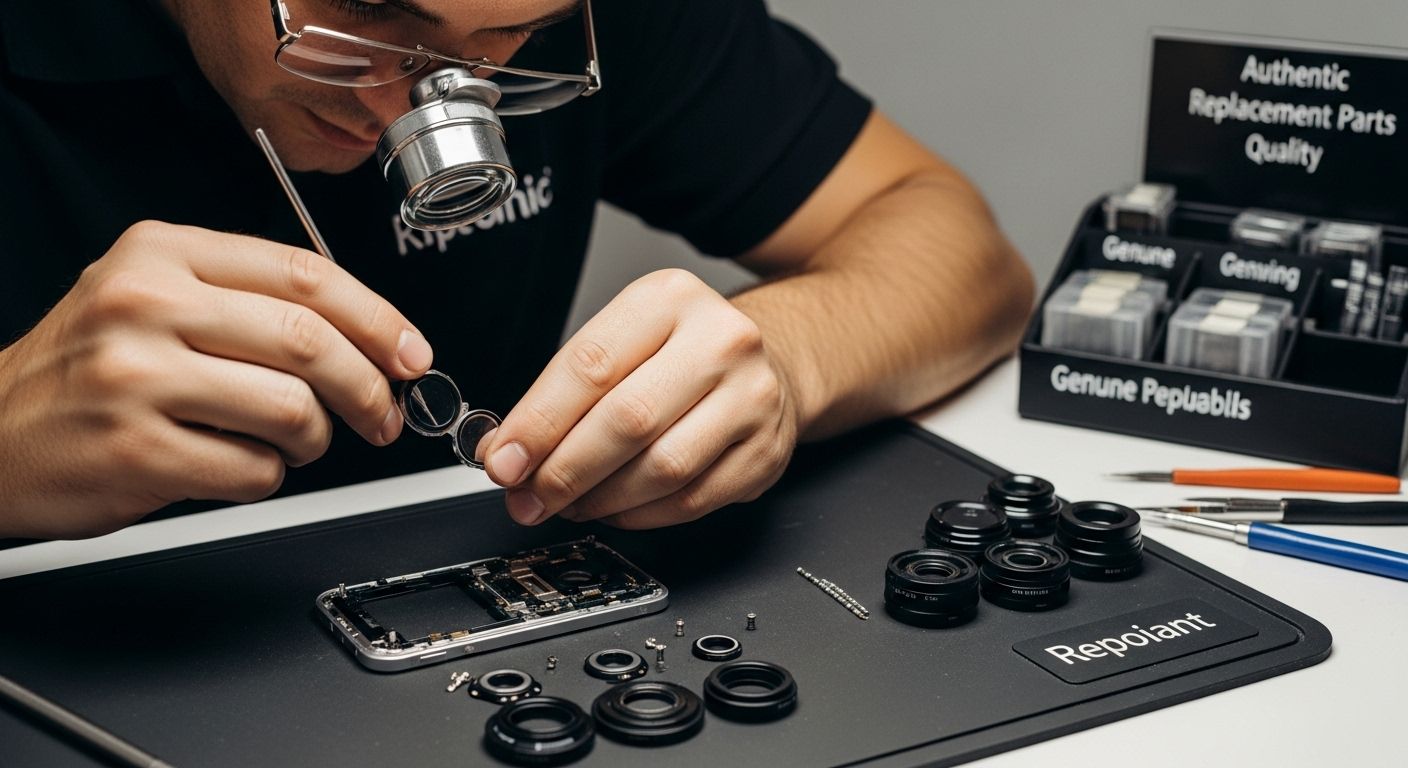
Essential Tools for Precise Lens Replacement
Follow the model-specific repair procedure when selecting tools. Examples it may require include:
- Precision Optical Tweezers: For handling delicate lens components
- Anti-Static Workstation: Prevents electronic component damage
- Manufacturer-approved Cleaning Materials: Selected for the specific surface and repair procedure
- Calibrated Microscope or Magnification Tools: For detailed inspection
- Precision Screwdriver Set: With multiple interchangeable tips
Professional repair technicians invest in high-quality tools that provide consistent performance. Cheap, low-quality tools increase the risk of accidental damage during the repair process. Investing in professional-grade equipment ensures more reliable and precise interventions.
Sourcing and Verification Strategies
Identifying reliable parts sources requires thorough research and careful verification. Reputable suppliers provide detailed specifications, quality certifications, and compatibility information. Smartphone repair experts recommend several strategies for parts procurement:
- Verify supplier credentials and specialization
- Request detailed technical specifications
- Check for manufacturer warranties
- Compare parts against original component specifications
- Examine customer reviews and professional feedback
For iPhone camera modules, Apple describes potential focus, image-quality and app-compatibility issues with nongenuine cameras. On supported devices, Repair Assistant may be needed to finish a camera repair. These module checks do not authenticate an external cover glass, ring or protector.
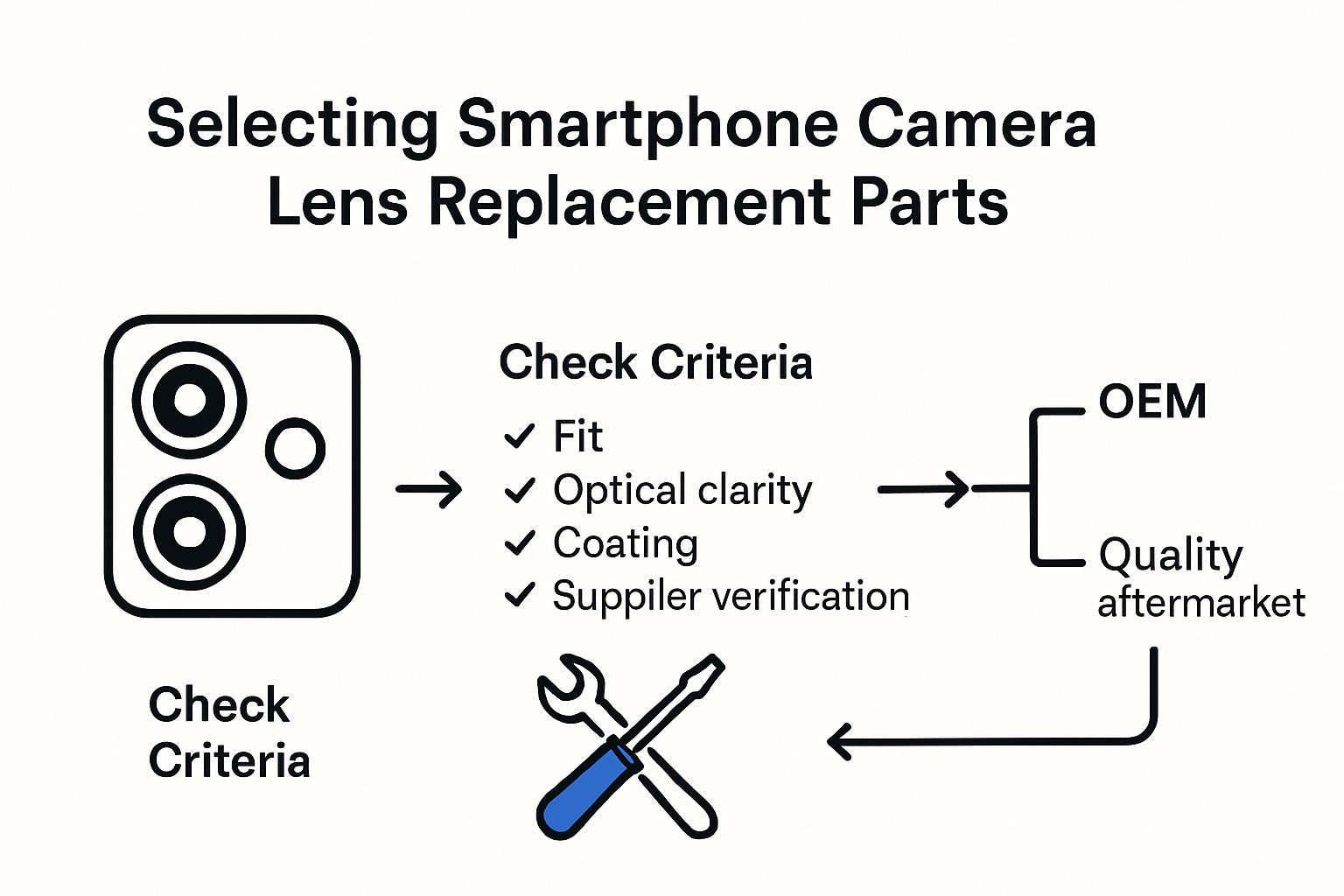
Understanding the nuanced requirements of smartphone camera lens replacement empowers both professionals and DIY enthusiasts to make informed decisions. Careful part selection, combined with precise tools and technical expertise, supports a successful repair, followed by model-appropriate testing.
Trade Tips for Repair Businesses and DIY Enthusiasts
Successful phone camera lens repair requires a combination of technical skill, strategic approach, and continuous learning. Insights from the University of California, Santa Barbara highlight the complex nature of smartphone repairs and the importance of understanding device intricacies before attempting any intervention.
Business Strategy and Professional Development
Repair businesses must focus on more than just technical expertise. Developing a comprehensive strategy involves continuous skill enhancement, market understanding, and customer trust. Key considerations include:
- Specialization: Focus on specific smartphone brands or repair types
- Certification: Pursue professional training and industry qualifications
- Inventory Management: Maintain a diverse stock of high-quality replacement parts
- Customer Communication: Provide transparent diagnostics and repair estimates
Professional repair shops should invest in ongoing training programs. Technology evolves rapidly, and staying updated with the latest smartphone models, repair techniques, and diagnostic tools is crucial for maintaining competitive advantage.
Technical Skill Enhancement and Risk Mitigation
DIY enthusiasts and professional technicians alike must develop a systematic approach to minimize repair risks. Photography and technical experts recommend careful preparation and methodical intervention:
- Always backup device data before starting repairs
- Use proper anti-static equipment to prevent electronic damage
- Document each repair step with photographs
- Maintain a clean, organized workspace
- Invest in high-quality, precision tools
Risk mitigation involves understanding personal skill limitations. Not every repair is suitable for DIY approaches. Complex camera lens repairs might require professional intervention to prevent further device damage.
Economic and Sustainability Considerations
Successful repair businesses must balance technical skills with economic intelligence. Pricing strategies, cost management, and sustainability considerations play critical roles in long-term success. Considerations include:
- Competitive pricing that reflects skill and quality
- Offering warranty on repair work
- Developing environmentally friendly repair practices
- Creating transparent cost structures for customers
- Exploring bulk repair and corporate service contracts
Repair professionals should view their work as more than a technical service. By positioning repairs as a sustainable alternative to device replacement, businesses can attract environmentally conscious customers and create unique market positioning.
Navigating the smartphone repair landscape requires continuous learning, adaptability, and a commitment to quality. Whether operating as a small business or a DIY enthusiast, success depends on technical proficiency, strategic thinking, and a customer-centric approach. Embracing technological changes, investing in skill development, and maintaining high ethical standards will distinguish top-tier repair professionals in this dynamic industry.
Frequently Asked Questions
What are common causes of phone camera lens damage?
Common causes include physical impact from drops or pressure, environmental factors like humidity and temperature changes, and improper cleaning techniques that use harsh chemicals or abrasive materials.
How can I assess camera lens damage before attempting repairs?
Conduct a thorough diagnostic assessment by examining the lens under good lighting, looking for visible signs of damage such as scratches or cracks, and documenting your findings with clear photographs.
What tools are essential for repairing phone camera lenses?
For external checks, start with good lighting and a clean microfibre cloth. Internal repairs require the tools, cleaning materials and safety precautions listed in the exact model’s repair manual.
When should I seek professional help for lens repairs?
Seek professional help for cracked glass, visible internal contamination or persistent camera faults, especially when the required repair exceeds your skills or equipment.
Restore Perfect Clarity to Your Phone Camera
Have you discovered scratches, fogging, or frustrating image distortions during your camera lens diagnostic? Repairing your own phone camera lens can feel daunting, especially when the risk of accidental damage or using the wrong parts casts doubt over the process. The guide clearly shows how the smallest error in tool choice or replacement part quality can turn a minor scratch into a costly problem. For anyone serious about reliable results, whether you are a seasoned technician or a determined DIY enthusiast, sourcing trusted components is absolutely essential.
At Buy2fix, you get peace of mind from our vast, quality-checked selection of mobile phone camera lenses and repair parts. We support every step, from choosing the right precision tool to ensuring your replacement is tested, guaranteed, and covered by warranty. If you want your next repair to run smoothly and safeguard your device’s image performance, visit our main site and experience professional-level parts, expert advice, and fast UK shipping. Take control of your camera repairs today and achieve premium results with Buy2fix.
Recommended
- For Huawei MediaPad M5 Lite 8.0 JDN2-L09 Front Screen Outer Glass Lens – buy2fix
- Original LCD Screen for Sony Xperia Z4 Tablet / SGP771 with Digitizer – buy2fix
- Original LCD Screen and Digitizer Full Assembly for OPPO K10 4G / K10 – buy2fix
- For Huawei P20 Pro Front Screen Outer Glass Lens with OCA Optically Cl – buy2fix
Let customers speak for us
I recommend it to everyone

This case allowed me to upgrade and modernize my iPhone XR in a very elegant way.

good practical product

Trop bien

love that it came on time and works really well

Very simple and easy to use. Thank you!!

Too small because of disability

Fits and watch works well with it on.

Looks great!

Snel en makkelijk besteld, vlotte levering !

item was packaged safely, no damage. it’s now October and since replacing it in January i’ve had no issues.

Great

They had what I was looking for ... ordering was easy, payment was easy, delivery was as promised.
-

Absolutely love this case! Heavy, sturdy and full coverage
