

What does LCD look like? A clear visual guide
TL;DR:
- LCD screens rely entirely on backlighting or ambient light for visibility and do not emit light themselves. Their appearance is characterized by a flat glass surface with a visible pixel grid, which varies depending on panel technology and viewing conditions. Understanding these visual cues helps distinguish between different LCD types and diagnose common issues effectively.
If you’ve ever wondered what does LCD look like beneath the glossy surface of your phone or monitor, you’re not alone. LCD stands for liquid-crystal display, and it’s one of the most widely used display technologies in consumer electronics today. The common assumption is that the screen itself glows, but LCDs do not emit light themselves. They rely entirely on a backlight or ambient light to become visible. That single fact explains more about the physical appearance of an LCD screen than almost anything else. This guide covers how an LCD display looks from the outside in, across technologies, devices, and real-world conditions.
Table of Contents
- Key takeaways
- What LCD looks like from the outside
- How liquid crystals and polarising filters shape what you see
- Panel technology and how it changes LCD appearance
- How environment and usage affect LCD appearance
- Recognising LCD screens across everyday devices
- My honest take on reading LCD appearance
- LCD screen parts and repairs at Buy2fix
- FAQ
Key takeaways
| Point | Details |
|---|---|
| No self-emission | LCD screens depend on backlighting or ambient light, which creates their characteristic glow. |
| Layered pixel structure | Each pixel contains red, green, and blue subpixels visible under close inspection, forming a fine grid. |
| Technology affects appearance | TN panels have narrower viewing angles; IPS panels look brighter and more colour-accurate from wider angles. |
| Environment changes the look | Backlight failures, lighting conditions, and viewing angle all alter what an LCD screen appears like in use. |
| Thinness is a defining trait | Modern LCD panels, especially IPS, appear as thin, flat, glass-like surfaces on monitors, tablets, and phones. |
What LCD looks like from the outside
The first thing most people notice about an LCD display screen is its flat, glass-like front surface. Modern panels feel almost flush, with minimal bezel on higher-end devices. There is no visible curvature or depth behind the glass. From the front, at full brightness, the surface appears as a uniformly lit rectangle, smooth and reflective.
Power the screen on and you immediately notice the characteristic backlight glow. This is most obvious in a dark room, where a faint halo effect or uniform brightness is visible even before any content is displayed. That brightness comes from the LED backlight array sitting behind the liquid crystal layer, not from the screen surface itself.
Look closely, and the pixel grid becomes visible, particularly on screens with lower pixel density. Each pixel contains tiny red, green, and blue subpixels arranged side by side, covered by colour filters. On a standard 1080p monitor viewed from a few centimetres away, you can actually see this subpixel pattern as a fine grid. On a high-resolution IPS panel (such as a 2400×1600 tablet display), the grid disappears entirely because the individual pixels are too small to distinguish with the naked eye.
Viewing angle matters a great deal. Look at most LCD screens straight on and the image appears sharp, bright, and well-saturated. Tilt the screen at a steep angle and the image either darkens, shifts in colour, or both, depending on the panel technology inside.
- Front surface: Flat, glossy or matte glass. Some panels are coated with anti-glare layers that give a slightly rough or frosted appearance.
- Powered off: Dark but not perfectly black. A faint grey or silver tint is often visible because the backlight is off but the panel itself still reflects ambient light.
- Powered on: Uniformly lit from behind, with visible content at the pixel level if resolution is low enough.
- In direct sunlight: Reflective LCDs can become difficult to read; transmissive LCDs wash out without a bright enough backlight.
Pro Tip: If a powered-off LCD looks completely black with no reflection at all, check that you are not looking at an OLED panel by mistake. LCDs always have a faint reflective quality when off, because there is still a backlight cavity behind the glass.
How liquid crystals and polarising filters shape what you see
The appearance of each pixel on an LCD is governed by a clever optical trick. Two polarising filters are arranged perpendicularly to each other, one at the front and one at the back of the liquid crystal layer. Light from the backlight passes through the rear polariser, travels through the liquid crystal layer, and then either passes through or gets blocked by the front polariser.
Here is how that translates to what you actually see on screen:
- No voltage applied: The liquid crystal molecules twist the light by 90 degrees, allowing it to pass through both polarising filters. The pixel appears bright or grey.
- Full voltage applied: The molecules align and stop rotating the light, so it cannot pass through the second filter. The pixel appears black.
- Partial voltage: The molecules only partially rotate the light, producing intermediate brightness levels. This is how gradations from bright white to deep grey are created.
- Colour filters: Each subpixel has a red, green, or blue filter in front of it. The brightness of each subpixel, controlled by this voltage mechanism, determines the final colour of the full pixel.
This mechanism is why LCD screens have a characteristic look at the pixel level. Every pixel is essentially a tiny light valve, opening or closing to let backlight through. Pixel brightness varies with voltage, producing the subtle shading and contrast you see across the display surface.
One visible consequence of this is the way black looks on an LCD. Because some light always leaks through the liquid crystal layer, pure black on an LCD appears as a dark grey. This is especially apparent in a dark room, where you can see the backlight glow behind supposedly black areas of the image.
Pro Tip: When assessing a replacement screen for quality, hold it up to a white wall in a dark room after fitting it. Any patches of uneven brightness or warm/cool tinting reveal backlight bleed, a common indicator of lower-grade panel quality.
Panel technology and how it changes LCD appearance
Not every LCD looks the same. The type of LCD panel inside a device changes its appearance significantly, both in everyday use and under close inspection.
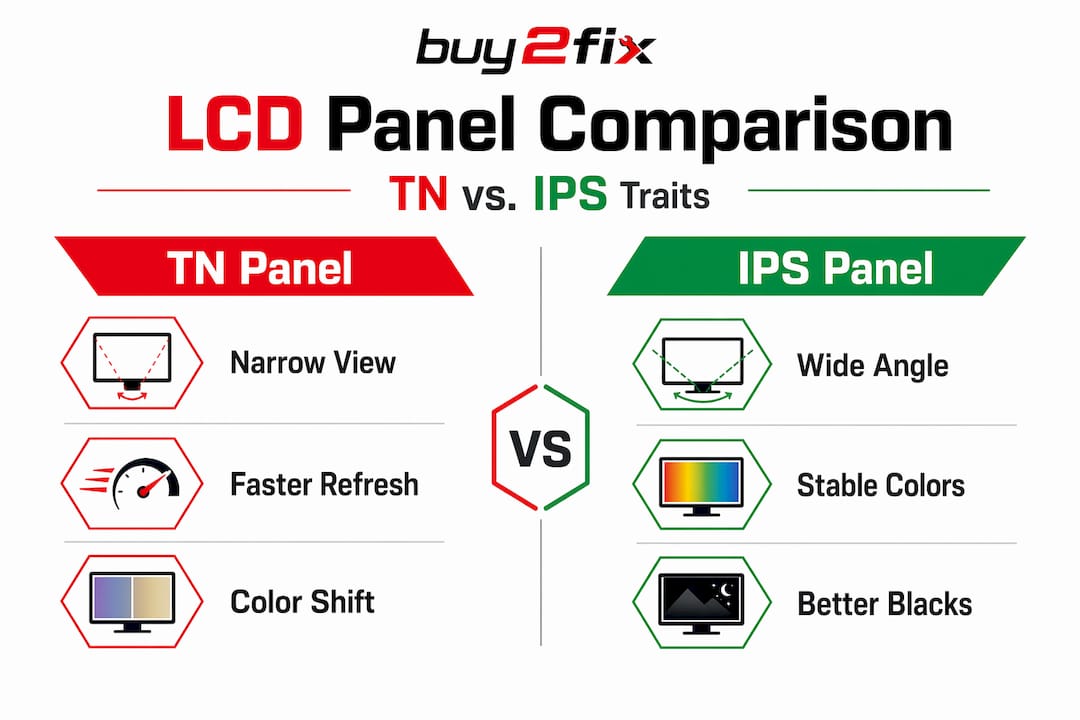
| Panel type | Colour accuracy | Viewing angle | Typical appearance |
|---|---|---|---|
| TN (Twisted Nematic) | Lower, with colour shift | Narrow, noticeable fade off-axis | Brighter centre, visible colour shift at angles |
| IPS (In-Plane Switching) | High, consistent | Wide, minimal shift | Bright, flat, colour-accurate from most angles |
| Active-matrix TFT | Depends on sub-type | Varies | Fine pixel grid, crisp image detail |
| Segmented/passive LCD | Not applicable | Limited | Simple character or icon display, like a clock |
TN panels are common in budget monitors and older smartphones. They are visually identifiable by the colour shift that occurs when viewed from below or to the side. The top of the screen may look noticeably different in brightness or tint compared to the bottom. For a technician, this is an immediate visual clue about the panel type inside.
IPS panels look completely different. IPS crystals move parallel to the panel surface, which reduces light scattering and produces much more even brightness across angles. The look is what most people associate with a modern, high-quality screen: bright, flat, consistent, and sharp. You see this in most current tablets, premium smartphones, and consumer monitors.
Active-matrix TFT addressing means each pixel has its own transistor, enabling precise individual pixel control. Under magnification, the pixel structure looks like a regular grid of tiny coloured squares, far cleaner and sharper than older passive-matrix panels. This is why the typical IPS LCD look in modern consumer devices feels crisp rather than grainy.
Segmented LCDs, as found in calculators, digital watches, and some car dashboards, look completely different again. They show fixed character shapes rather than an image grid, with only specific segments lighting up to form numbers or letters.
How environment and usage affect LCD appearance
An LCD screen does not look the same in every situation. Several external factors change what you actually perceive, and knowing this is genuinely useful for both users and technicians.
- Ambient lighting: Transmissive LCDs show backlight glow in dark conditions, while reflective LCDs (common in e-readers and outdoor industrial displays) rely entirely on ambient light. In a brightly lit office, a reflective LCD can look crisp and clear. In a dark room, it becomes almost invisible.
- Backlight failure: This is one of the most common LCD issues. When the backlight fails, the screen appears almost completely dark, even though the LCD panel itself may still be functioning. Backlight failure causes a dark or blank appearance that is often mistaken for a fully broken screen.
- Viewing angle effects: Even on IPS panels, extreme off-axis viewing produces a slight colour shift. On TN panels, this shift is dramatic enough to reverse apparent brightness entirely.
- Pixel density: A 1080p phone screen from 2014 looks visibly grainy up close because you can see individual pixels. A 2026 premium tablet at 2400×1600 resolution on a 13-inch panel looks completely smooth, with no visible pixel structure at normal viewing distance.
- Screen coatings: Glossy-coated LCDs look vivid and punchy but show mirror-like reflections in bright rooms. Matte-coated panels look slightly softer but are far more practical in office or workshop environments.
You can find a practical breakdown of how these traits apply to LCD screen types across different repair scenarios, which is particularly useful when sourcing a replacement.
Recognising LCD screens across everyday devices
LCD technology appears in so many different products that “what is an LCD display” is really a question about many different visual experiences.
- Televisions: LCD TVs are thin, flat panels, typically between 4 and 8 centimetres deep. The screen surface is smooth, reflective, and uniformly bright when powered on. The edges often show subtle backlight glow if viewed in a dark room.
- Computer monitors: An LCD computer monitor shares the same flat glass construction. IPS monitors look bright and consistent from almost any seated position. TN monitors show noticeable brightness loss when viewed from even slight angles.
- Smartphones and tablets: LCD phones and tablets feel thinner than many users expect. The screen looks vivid, with fine subpixel detail invisible without magnification on modern high-resolution panels.
- Industrial and professional screens: These often use low-glare matte LCD panels. They look less vivid than consumer screens but are far easier to read under fluorescent lighting or in direct sunlight.
Compared to OLED screens, LCDs look slightly less contrasty in dark scenes. OLED panels can switch individual pixels fully off, producing true black. An LCD cannot, so the background always has a faint glow. Once you know what to look for, the difference is visible immediately.
My honest take on reading LCD appearance
I’ve handled more LCD panels than I can count, and the single most common mistake I see is people confusing a backlight failure with a dead screen. The LCD layer itself is often completely intact. You can verify this by shining a torch at an angle against the screen surface in a dark room. If you can faintly see the UI through the panel, the LCD is alive. The backlight is the problem.
The second thing I’ve noticed is that most people underestimate how much panel technology changes their experience. Upgrading from a TN monitor to an IPS panel genuinely feels like putting on a better pair of glasses. Colours stop shifting as you lean in. The image feels stable. It’s not subtle.
For technicians, learning to read the appearance of an LCD under different conditions is a legitimate diagnostic skill. A grey washed-out look often points to incorrect voltage or polariser misalignment. Uneven brightness patches suggest backlight strip damage. Dead pixels show as fixed-colour dots that never change regardless of what is on screen.
Understanding what LCD panels look like when something is wrong is just as useful as knowing what they look like when everything is right.
— Adewale
LCD screen parts and repairs at Buy2fix
If this guide has helped you identify an issue with an LCD screen on your phone, tablet, or laptop, Buy2fix carries a broad range of LCD replacement parts for major brands including iPhone, Samsung Galaxy, Huawei, Xiaomi, and OPPO. Every part goes through quality checks before dispatch, with free UK mainland shipping and a 30-day return policy on eligible items. Whether you are a DIY repairer or a professional technician sourcing stock, you will find the screen parts you need at buy2fix.co.uk. Their guides on LCD screen technology cover display types in more detail and are worth reading before ordering a replacement.
FAQ
What does a LCD screen look like when it’s damaged?
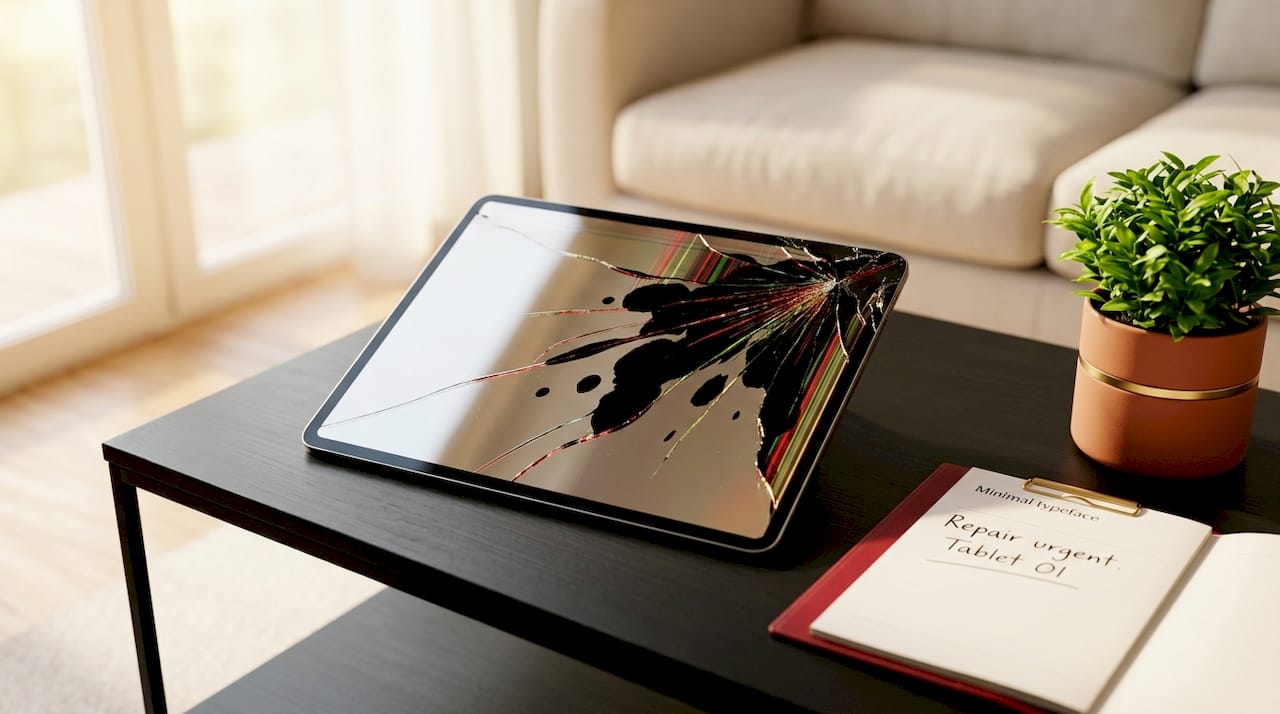
A damaged LCD typically shows dark patches, discolouration, or visible cracks spreading from an impact point. Backlight failure makes the screen appear almost entirely black even when the device is powered on.
What is a LCD panel and how does it differ from OLED?
An LCD panel is a flat display that uses liquid crystals and a backlight to produce images. Unlike OLED, LCD cannot produce true black because the backlight remains on across the whole screen at all times.
Can you see pixels on an LCD display screen?
On lower-resolution displays you can see individual pixels as a visible grid under close inspection. On modern high-resolution panels such as a 2400×1600 IPS LCD, pixels are too small to distinguish at normal viewing distances.
What does LCD display mean in technical terms?
LCD stands for liquid-crystal display. It refers to a screen technology where liquid crystal molecules are sandwiched between polarising filters and controlled by voltage to modulate how much backlight passes through each pixel.
Is LED or LCD better for screen appearance?
“LED” screens are technically LED-backlit LCD panels, so the two are not opposites. True LED displays (such as mini-LED or micro-LED) offer higher contrast, but standard LED-backlit LCDs remain the most widely used display type due to cost and reliability.
Recommended
Let customers speak for us
Great

I saw this item and it was just what I was looking for. I found it here but not in Amazon or e-bay. However, it was in UK, I was surprised to find that they were able to ship it to the US. Excellent company, would do business with again

This is great for when out and about, to sharpen either coloured pencils, or watercolour pencils….would order again.

Great items would bye again

I have purchased several items from this store before. Recently, I encountered an issue with my latest order. After reporting the problem to customer support, they were consistently attentive and made every effort to resolve the situation. Upon investigation, they acknowledged the issue and promptly fixed it. This experience has increased my level of trust in this store.
Thank you so much. I'm so happy.

très bien

BC70 Car Bluetooth 5.0 FM Transmitter Radio Adapter Dual Display Wireless Handsfree Call MP3 Music Player QC3.0 PD USB Charger

A quite sturdy cover, if you are looking for full protection and a more business-like style, this cover perfectly fulfills its purpose.
The shipping was fast, and it was delivered in perfect condition.

For LG TV Bluetooth Handheld Infrared Voice Multi-Function Remote Control(AKB75855501)

Tusen tack för bästa service och produkt som jag vänlig önskar dig tack

Works correctly and no issues so far

Took a while to get here but it was all good, watch looks brand new after replacement

What a fantastic 👏🏻 stylish case that has helped my phones temperature in the heatwave!!
Perfect 👌🏻 also it's cool as f##k

I love it!
