

Reduce mobile device wear and tear: Practical repair guide
TL;DR:
- Cracked screens, batteries, and charging ports account for the majority of smartphone failures.
- Wear and tear stem from daily use, environmental factors, and neglect, not planned obsolescence.
- Proper habits, timely repairs, and quality replacement parts can significantly extend device lifespan.
Cracked screens account for 66% of smartphone repairs, with battery failures close behind at 18% and charging port issues at 12%. Most people blame manufacturers, assuming devices are designed to fail. The reality is far more straightforward: physics, daily habits, and a little neglect do most of the damage. Wear and tear in mobile devices is the gradual degradation of components through normal use, environmental exposure, and storage strain. This guide will help you identify what is actually failing in your device, understand why it happens, and take practical steps to repair or prevent it.
Table of Contents
- What causes wear and tear in mobile devices?
- Most vulnerable components: A breakdown
- How storage and software wear affects device performance
- Preventing and managing common wear: DIY tips
- Why most people misunderstand device wear and tear
- Quality parts and expert help for every repair
- Frequently asked questions
Key Takeaways
| Point | Details |
|---|---|
| Screens wear fastest | Cracked screens remain the most common and immediate sign of device wear. |
| Prevention slows breakdown | Daily habits like proper carrying and cleaning make a real difference in device longevity. |
| Batteries and ports matter | Replacing batteries and maintaining charging ports addresses major causes of malfunction. |
| Software slows too | Keep at least 15GB free and manage apps to offset storage wear slowdowns. |
| Not just planned obsolescence | Most wear results from physics and usage, not just manufacturer design. |
What causes wear and tear in mobile devices?
Now that you know wear and tear is not just about age, let’s look at what actually causes it. Every time you tap a screen, plug in a cable, or press a button, you are creating a tiny amount of physical stress on that component. Over thousands of repetitions, that stress accumulates into real damage.
Normal daily use is the primary driver. Buttons develop what engineers call contact fatigue, where the physical mechanism behind the button loses its spring and responsiveness. Charging ports collect lint, dust, and debris with every pocket trip, which gradually obstructs the connection. Screens pick up micro-scratches from surfaces most people would consider harmless, including denim and paper.
Environmental factors compound the problem significantly:
- Moisture and humidity corrode internal contacts and weaken adhesive bonds holding screens in place
- Temperature swings cause materials to expand and contract, loosening solder joints over time
- Dust and fine particles infiltrate speaker grilles, ports, and seams, accelerating internal wear
- Direct sunlight degrades battery chemistry and can warp plastic components
Foldable phones introduce an entirely different category of wear. The hinge mechanism on a foldable is one of the most mechanically complex parts in any consumer device. Foldable creases and hinge fatigue develop from repeated bending, lint intrusion, and lateral shear forces applied when the device is opened at an angle rather than straight on.
“The way you carry your foldable matters as much as how you open it. Lint and debris entering the hinge mechanism are among the leading causes of premature wear, and simple habits like vertical pocket carry can make a measurable difference to long-term hinge health.”
Understanding these root causes is the first step. Once you know where the stress points are, you can start making smarter decisions about how you use and carry your device every day.
Most vulnerable components: A breakdown
Understanding the root causes sets the scene. Here is where your device is most likely to suffer first.
Cracked screens at 66% represent by far the most common failure point, followed by battery degradation at 18% and charging port issues at 12%. These three components absorb the majority of daily physical stress, and each has a distinct failure pattern worth recognising early.
| Component | Failure rate | Common symptom | Typical cause |
|---|---|---|---|
| Screen | 66% | Cracks, dead zones, discolouration | Drops, pressure, heat |
| Battery | 18% | Rapid drain, swelling, shutdowns | Charge cycles, heat |
| Charging port | 12% | Intermittent charging, loose fit | Debris, repeated plugging |
| Buttons | Steady fatigue | Unresponsive, sticky feel | Contact wear |
| Hinges (foldables) | Increasing | Crease, resistance, grinding | Bending, lint, shear |
Screens are vulnerable because they are the only component in constant direct contact with the outside world. A guide on fixing phone screens can help you assess whether a crack is cosmetic or functional, which matters for prioritising your repair.
Batteries degrade through charge cycles. Most lithium-ion cells are rated for 300 to 500 full cycles before capacity drops noticeably. After two years of daily charging, many batteries are operating at 70 to 80% of their original capacity. Reviewing battery replacement tips before attempting a swap will save you time and prevent accidental damage.
Charging ports fail silently. You may not notice the problem until your cable sits at an angle or charging becomes inconsistent. A detailed charging port repair guide walks through the inspection and replacement process step by step.
Early signs of component fatigue to watch for:
- Screen takes longer to register taps or shows colour banding near the edges
- Battery drops from 30% to 0% without warning
- Charging only works with the cable held at a specific angle
- Buttons require noticeably more force than they used to
Pro Tip: Do not wait until a component fails completely. Partial failures, like intermittent charging or a slightly unresponsive corner of the screen, are far cheaper and easier to repair than full replacements after a catastrophic failure.
How storage and software wear affects device performance
Hardware is not the only thing that suffers. Your storage and software can wear over time too, and the effects are just as disruptive as a cracked screen.
Flash storage, the type used in every modern smartphone, has a finite number of write cycles. Each time you save a file, update an app, or cache data, you are using up a small portion of that capacity. Storage slowdowns from wear and low space are inevitable after several years, even with wear-levelling technology that spreads writes across the storage cells to extend overall lifespan.
Low free space accelerates the problem significantly. When your device has less than 15GB free, the operating system struggles to create temporary files needed for basic tasks. Performance drops, apps crash more frequently, and the camera takes longer to save photos.
Practical steps to reduce software-induced slowdown:
- Audit your apps every three months. Remove anything you have not opened in 60 days. Unused apps still consume background resources.
- Keep at least 15GB free at all times. Move photos and videos to cloud storage or an external drive regularly.
- Avoid delaying major OS updates. Updates often include storage optimisation improvements alongside security patches.
- Clear app caches periodically. Cached data accumulates quickly in social media and streaming apps, consuming gigabytes within weeks.
- Factory reset as a last resort. If performance has degraded severely, a clean reset removes years of accumulated software clutter and often restores near-original speed.
Key insight: A device that feels slow after three years may have perfectly healthy hardware. Storage wear and software bloat account for a significant share of perceived performance decline, and both are manageable without spending a penny on new parts.
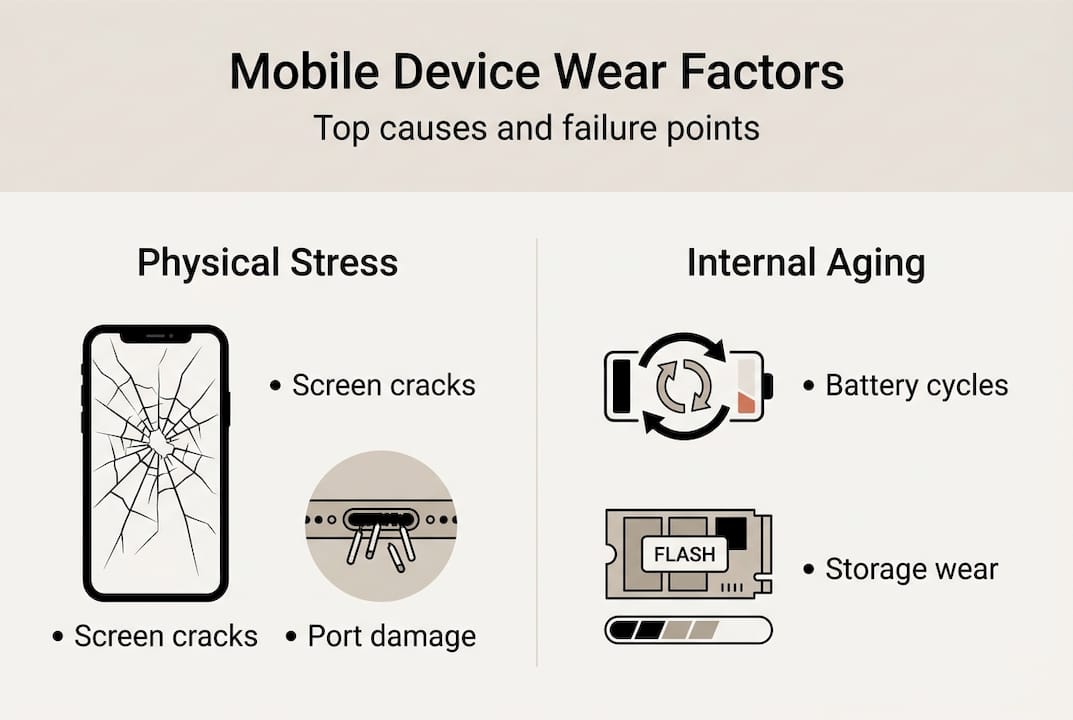
The distinction matters because it changes your repair strategy. If your device is sluggish but the screen, battery, and ports are fine, start with software before ordering components.
Preventing and managing common wear: DIY tips
Knowing what fails and why, you can now apply practical habits and repair strategies to extend your device’s life considerably.
Preventive carry habits are more powerful than most people realise. Carrying a foldable vertically in a dedicated pocket reduces lint intrusion into the hinge. Keeping any phone in a separate pocket from keys and coins eliminates a major source of screen micro-scratches. These are zero-cost changes with measurable long-term impact.
| Situation | DIY prevention | When to seek professional repair |
|---|---|---|
| Minor screen scratches | Screen protector, careful carry habits | Cracks affecting touch response or display |
| Battery draining faster | Adjust settings, reduce background apps | Swelling, sudden shutdowns, under 70% capacity |
| Dusty charging port | Soft brush cleaning, compressed air | Bent pins, physical damage inside port |
| Sticky buttons | Isopropyl alcohol on cotton swab | Complete unresponsiveness after cleaning |
| Foldable hinge stiffness | Vertical carry, gentle cleaning | Grinding noise, resistance when folding |
Component-specific care tips that make a real difference:
- Screen: Apply a tempered glass protector immediately after purchase, not after the first scratch appears
- Battery: Avoid charging to 100% and draining to 0% regularly; keeping charge between 20% and 80% extends cycle life
- Charging port: Read the guide on cleaning charging ports before attempting any cleaning to avoid bending internal pins
- Buttons: A tiny amount of isopropyl alcohol around button edges dissolves grime that causes stickiness
- Camera lens: A microfibre cloth is all you need; abrasive materials scratch the coating permanently
When a repair becomes necessary, preparation matters. Review a screen replacement guide before opening your device, and read up on understanding battery replacement to know which tools you will need.
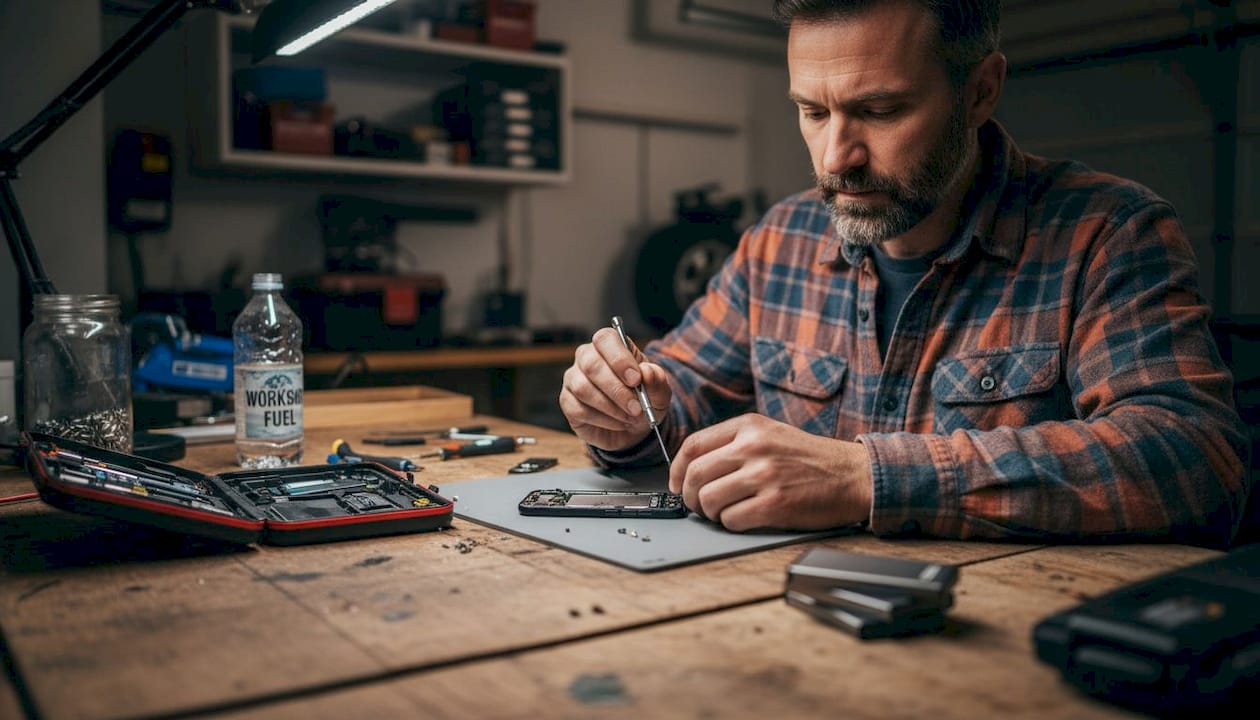
Pro Tip: Invest in a proper repair toolkit before you start. Using improvised tools like kitchen knives or flathead screwdrivers to open a device causes more damage than the original fault. A quality spudger and suction cup cost very little and protect components worth far more.
Why most people misunderstand device wear and tear
There is a persistent belief that smartphones are designed to fail on a schedule, forcing upgrades. It is a compelling story, but the evidence points elsewhere. The real culprits are physics and usage patterns, not corporate strategy.
This misunderstanding is costly in two directions. People who believe in planned obsolescence either neglect their devices entirely, assuming care is pointless, or replace them prematurely when a simple repair would have added two or three years of life. Both responses waste money.
The uncomfortable truth is that most devices fail because of habits that are entirely within your control. A battery that swells at two years was likely charged overnight on a hot surface repeatedly. A screen that cracks was probably used without a protector. A slow device may simply need a storage clear-out, not a replacement.
We have seen customers extend device life by four or five years through consistent care, timely part swaps, and sensible habits. The components exist, the guides are available, and the cost of a quality replacement part is a fraction of a new device. The gap between a device that lasts two years and one that lasts six is almost entirely about how it is treated, not how it was built.
Quality parts and expert help for every repair
With the right knowledge and quality components, keeping your device running for years is genuinely achievable. At Buy2fix, we stock replacement parts and accessories for a wide range of devices, from the latest iPhone 17 series to older Samsung Galaxy models, all backed by a one-year warranty and free UK mainland shipping. Whether you are tackling your first screen swap or managing a fleet of repair jobs, our parts are quality-tested before they leave the warehouse. If you are ready to take action, our guide to affordable screen repair is a practical starting point for one of the most common repairs around.
Frequently asked questions
How can I tell which part of my phone is most worn out?
Visible cracks, rapid battery drain, and unreliable charging are the clearest indicators, reflecting the top three failure points across all smartphone repairs: screens, batteries, and charging ports.
Does carrying my phone vertically really reduce hinge or fold damage?
Yes, for foldables, vertical carry reduces lint intrusion and lateral shear forces, both of which contribute to hinge fatigue over time and premature creasing.
Why does my device slow down after a few years?
Flash storage degradation combined with low free space causes inevitable performance drops, often independent of software updates or hardware faults.
What’s the best way to clean charging ports?
Use a soft-bristled brush or a toothpick with care, and avoid any liquids; gentle, dry cleaning removes debris without risking damage to the internal pins.
Recommended
Let customers speak for us
For Samsung Galaxy A26 SM-A266B Original Earpiece Speaker with Cable

Very good communication throught. Good product

Well made part very strong easy to fit great value for the money

Well packed, with fast shipping :)

Exactly what the doctor ordered…great color, comfort, and durability. Trust this watch band!

Brilliant strap, second purchase, bought bracelet before. Excellent value. Thank you

Great item for splitting your Audio signal

Outstanding product!
Next level customer service.

Very satisfied but the delivery needs to get more faster...

Good price,quick delivery

Best phone case ever! This is my second one as I broke my first. Would defo recommend

Great fitting Apple Watch bands

For Apple Watch Ultra 3 / 2 / 1 49mm RedPepper Armor Metal Case Integrated Silicone Watch Band(Steel Black White)

Good price and quick postage

